 RV Shadow
Think beyond check-in.
A site can feel different later in the day. Check the afternoon sun direction and see which sides of your RV face the sun.
The perfect campsite is about more than the view. Preview where the sun will be on your RV before you park or book your site.
Add to Chrome See the difference a few hours makes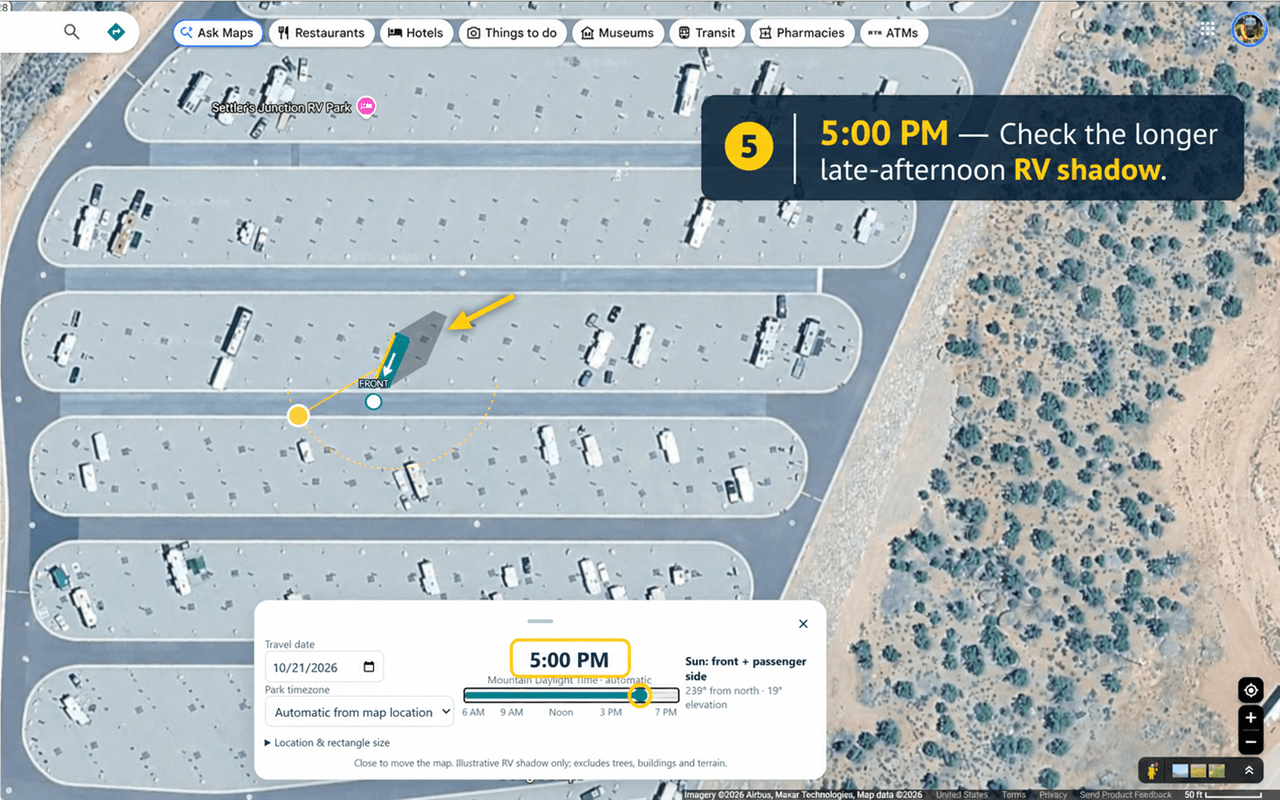
Morning coffee in the sun. A little afternoon relief.
Get another perspective before choosing your spot.
A site can feel different later in the day. Check the afternoon sun direction and see which sides of your RV face the sun.
Place the RV icon on different campsites and turn it to match each parking direction. Compare before you commit to a site.
Set the date you'll actually be there, then move through the day. Explore the sun for your plans, not just today's conditions.
Same campsite and RV. Different times.
Drag the divider to compare the actual previews.
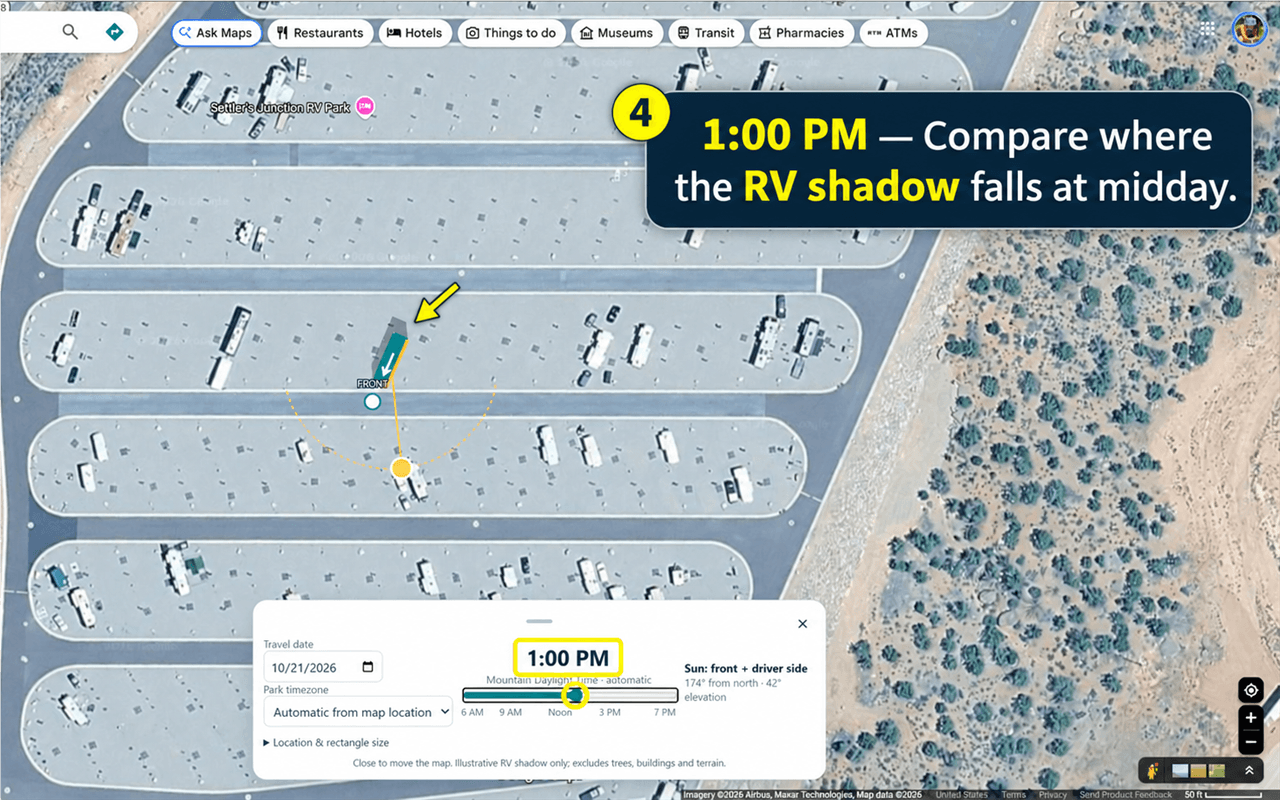
RV Shadow previews the RV's own shadow and sun direction. Trees, buildings, terrain, awnings, and weather are not modeled.
Find it in Google Maps. Use Satellite view with Globe view off and the map north-up. Click the RV Shadow icon.
Drag the RV icon onto the campsite. Rotate the FRONT arrow to match how you'll park, and resize the RV icon as needed.
Choose your travel date, check the park timezone, and move the time slider. Watch the sun direction and RV shadow change.
No account to create. No advertising or analytics. Sun and timezone calculations happen locally in your browser.
RV Shadow reads the map-center coordinates from the Google Maps URL when you click the icon. It doesn't use your device's GPS or send that information to us.
Read the privacy policyOpen the RV Shadow listing in the Chrome Web Store and select Add to Chrome. Confirm the installation, then pin RV Shadow from Chrome's puzzle-piece Extensions menu so it's easy to find. There's no ZIP file or manual setup needed.
Open RV Shadow in the Chrome Web Store ↗RV Shadow provides an illustrative estimate of sun direction and your RV's shadow. It does not model trees, buildings, awnings, slopes, weather, or surrounding terrain. Use it as one part of your planning and verify actual campsite conditions.
Yes. Choose the date you plan to stay and adjust the time slider to explore how sun direction changes through the day. RV Shadow detects the map location's timezone automatically, and you can override it manually.
RV Shadow is a desktop Chrome extension for use with Google Maps. For visual alignment, use Satellite view with Globe view off and the map north-up. It is not a mobile app.
No account is required. RV Shadow uses the map-center location, which can be anywhere you're planning to visit. It does not need your device's GPS location.
Take a look at the sun before you book, park, or settle in.
Get RV Shadow for Chrome